
04 / MAKE IT YOURS
Your score. Your kind of keepsake.
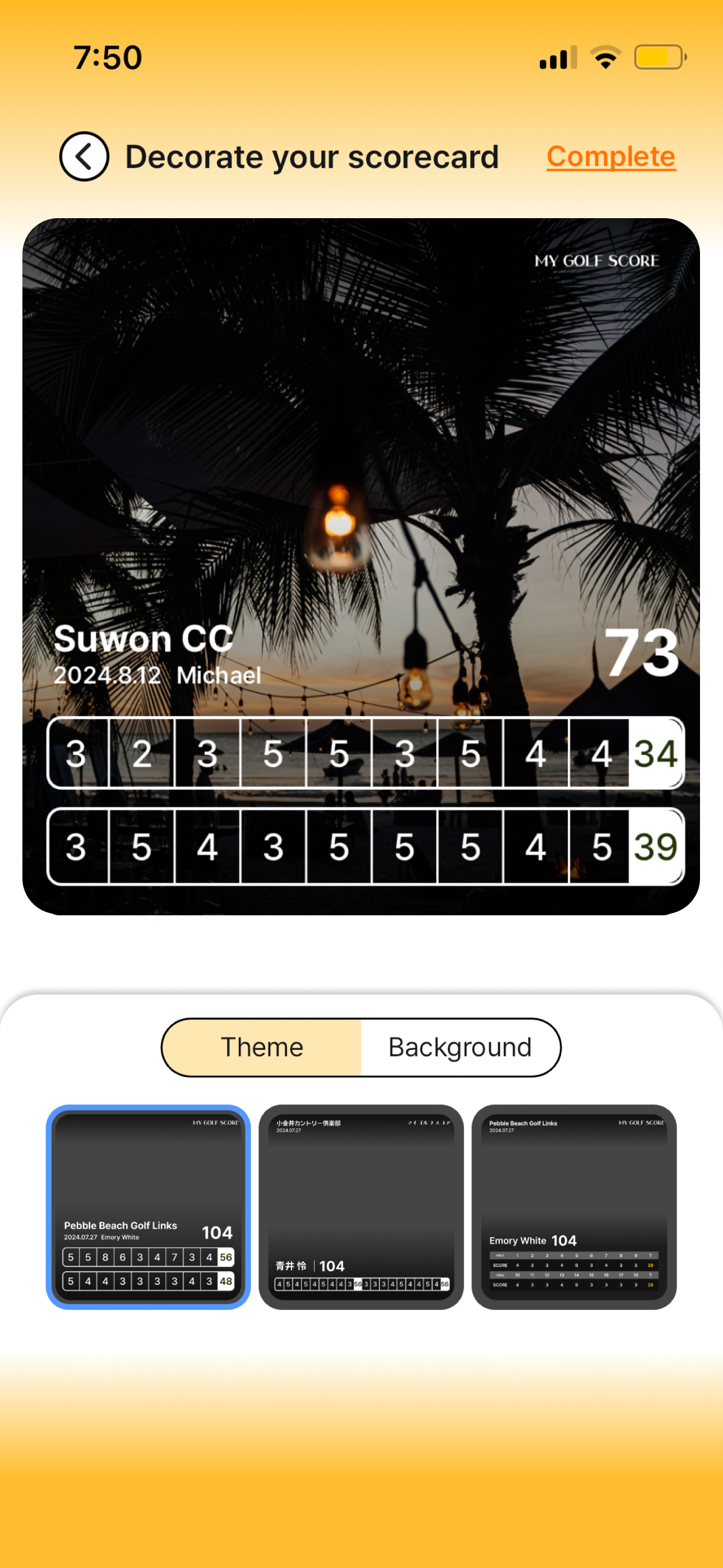
A great round has a setting, a mood and people you want to remember. Give the scorecard a look that belongs to that day. Start with a template, try a background and preview how the score and the story sit together.
- Design templates
- Photo backgrounds
- Preview before export
Scorecard design
What you can do
Begin with a layout that fits
Choose from the templates available in the app instead of building a card from an empty canvas. Compare how each one presents the course, players and scores, then pick the layout that best suits what you want to show.
Put the day in the background
Use a suitable photo or available background to give the card a personal feel. A quiet area of sky, grass or scenery can work well behind a score grid. Adjust the design with readability in mind, especially around small numbers.
Make a card people can actually read
Preview the complete composition before exporting. Check that the score grid stands out, player names are visible and the photo does not compete with the result. A clean design makes the round easier to understand at a glance.
Scorecard design
How it works
Choose a template and photo background to make the scorecard feel like your round.
Get the app- 01
Open the round's scorecard
Start from the saved round you want to present. Verify the course, players and scores before spending time on the design.
- 02
Try a template
Browse the available layouts and compare the balance of image and score information. Choose a style that suits the occasion.
- 03
Choose the background
Use an available background or your own suitable image. Check the crop and contrast around names and the score grid in the preview.
- 04
Preview the finished card
Review the whole card at a readable size. When it looks right, continue to save the image or share it through the available options.
Scorecard design
Make it part of your round
A first round at a special course
Use a photo of the clubhouse or a memorable view to place the result in context. Keep the busy parts of the image away from the score information so the place and the numbers both have room.
A card for the group chat
Choose a clear template when everyone will be checking their scores on a phone. A recognizable background adds personality, while readable player rows make the card useful to the whole group.
Can I use my own photo?
The scorecard decoration flow supports a personal image background. Choose a suitable photo through the available image controls and review how it appears behind the card information.
Does choosing a design change my score?
No. The design presents the round record. If a number is incorrect, correct the round data first and then check the card preview again.
Which background is easiest to read?
A photo with a simple area behind the scores usually works better than a detailed, high-contrast image. Preview the card at phone size and make sure the smallest numbers remain clear before exporting.
TOKTI GOLF
Give the round a look of its own.
Open a saved scorecard in Tokti Golf and find the design that feels like your day.
iOS · Android · Free to download · Ads and in-app purchases
Explore the app