
CAPTURE YOUR SWING
Solo practice. Your swing on video.
Frame your swing for golf and record it. Watch the replay to find a moment to focus on in your next practice.
- Golf framing guides
- Recording timer
- Instant replay
Swing camera
What you can do
Check your pose while recording
Frame your swing with golf guides and use live pose and skeleton display to inspect key joints and shoulder and hip lines.
Set up for solo practice
Use a timer to get ready. Enable automatic recording only after checking device support; detection depends on the surroundings.
Review what you recorded
Watch the replay, then open the player or editor for a closer look.
- 01
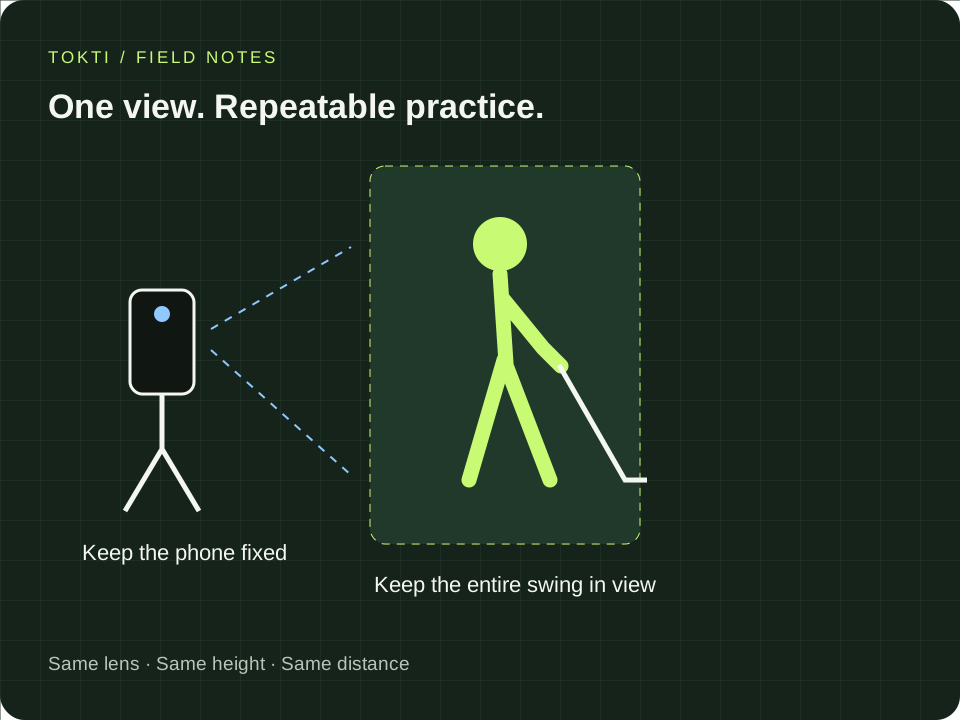
Secure your phone
Keep it out of the swing and walking area, with your whole body and club visible.
- 02
Choose your recording mode
Set the framing guide and timer. Check supported options before enabling automatic recording.
- 03
Review the replay
Watch the saved video and open the player when you want to look closer.
Swing camera
Make it part of your round
Practicing on your own
Secure your phone and capture a swing without asking someone to record every shot.
Comparing practice days
Use a similar camera position to compare an earlier swing with today’s.
Can I use a video from my phone camera?
You can open supported videos saved on your device. Videos do not have to be recorded inside the app.
Is automatic recording enabled by default?
No. Check device support and enable it in the recording settings. Available options vary.
Does every phone support high frame rates?
No. The app uses resolution and frame-rate combinations supported by the device and lens.
TOKTI GOLF
Start by recording your swing.
Install Tokti Golf and record a swing at your next practice.
iOS · Android · Free to download · Ads and in-app purchases
Explore the app