
KEEP YOUR ROUND
Today’s round. Your own record.
Check distances and enter scores on the course. After the round, keep the day in a card and a photo-video album.
- GPS distances
- Scorecards
- Round albums
Round records
What you can do
Prepare for the next shot
Check GPS distances and hole information. Confirm location permission and available course data.
Record in your own way
Enter hole scores or start with a paper scorecard photo. Review and correct recognized values before saving.
Revisit a card or album
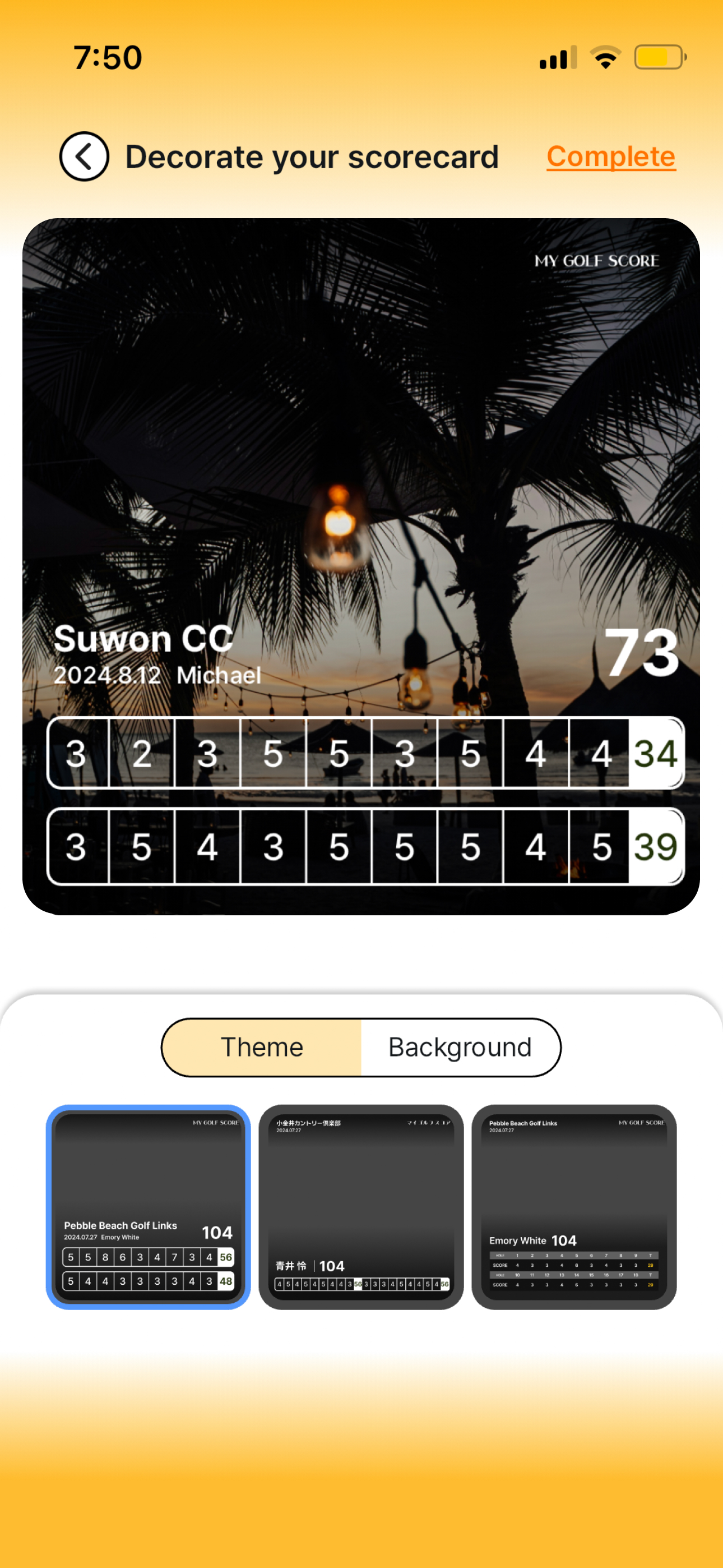
Design and share a scorecard, and collect your photos and videos. Video tools can also be used during practice independently of scoring.
- 01
Prepare the round
Set the round information and check available GPS distances.
- 02
Review and save results
Check manually entered scores or values recognized from a photo.
- 03
Keep a card and album
Choose a card design and organize photos and videos to keep or share.
Round records
Make it part of your round
Sharing with playing partners
Save checked scores in a card and send it after the round.
Revisiting a golf trip
Organize media by checking the course and date for each album.
Can I start with a paper scorecard photo?
Yes. Review and correct the recognized values before saving. The AI scorecard guide explains the steps.
Does a photo-video album need scores?
A local album can be created without scores. Online sharing may have separate requirements.
Are video tools only for recorded rounds?
No. You can use recording, playback and editing during practice without entering round scores.
TOKTI GOLF
Keep the golf you played.
Record the round in Tokti Golf and keep it in a card and album.
iOS · Android · Free to download · Ads and in-app purchases
Explore the app